Higgsfield AI: Higgsfield AI Image Generator Review 2026: Same Model, 2x the Credits
Higgsfield AI Image Generator Review 2026: Same Model, 2x the Credits — republished for readers looking into higgsfield ai.
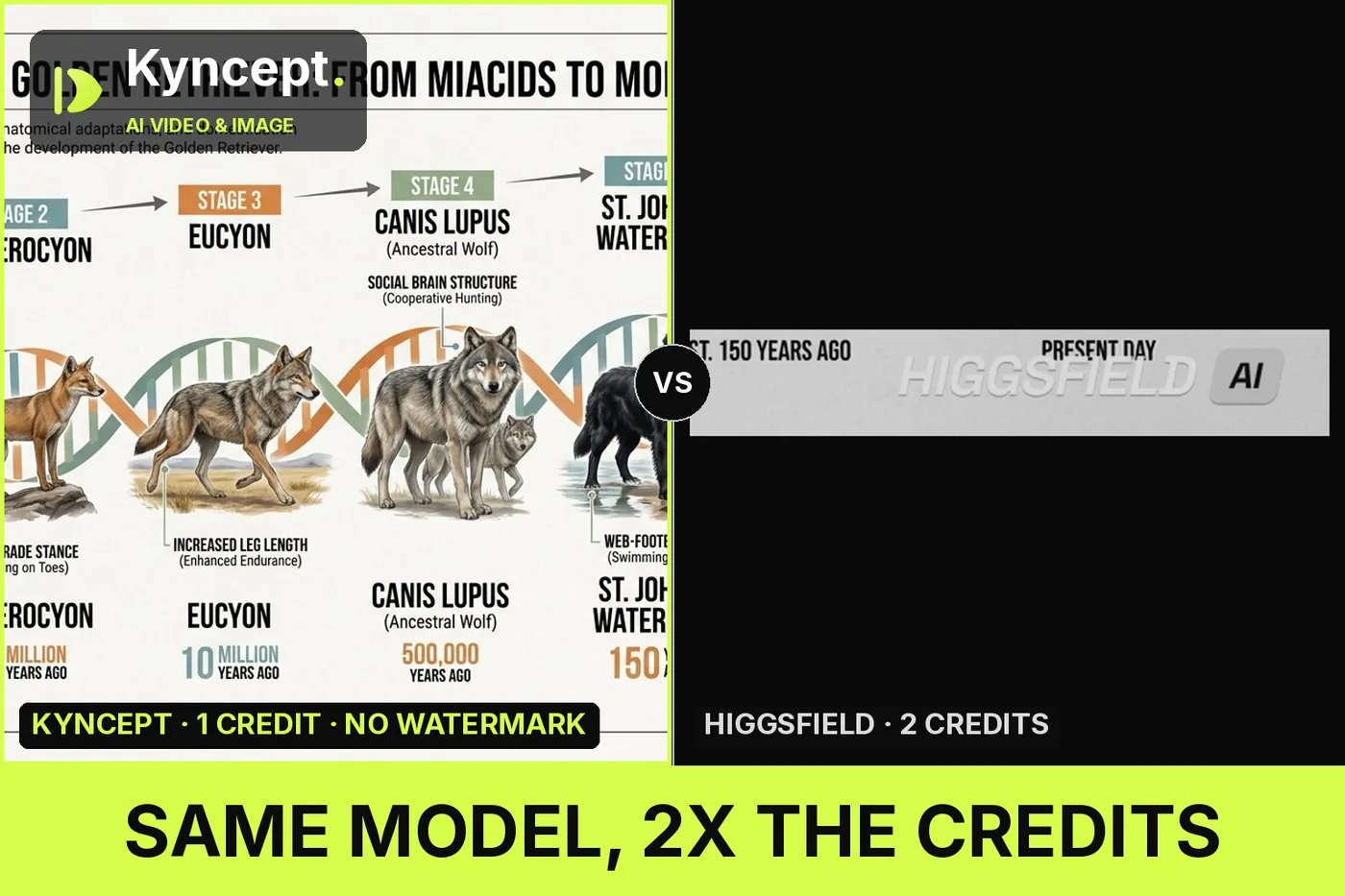
I ran one 682-character prompt through Higgsfield and through kyncept.com. Both call Nano Banana Pro, both returned a 1376 × 768 image, and the two pictures are a tie. Every real difference sits around the picture: 2 credits against 1, a "HIGGSFIELD AI" mark baked into the PNG pixels, twice the file weight at the same resolution, and a free balance that cannot reach the catalog it displays.
My verdict in 60 seconds — Higgsfield 60/100, Kyncept 90/100
Same model, so the picture is a tie. What gets charged on top of it is where the score goes.
- Image quality — Higgsfield 9/10 · Kyncept 9/10 — identical Nano Banana Pro output, 1376 × 768 on both.
- Prompt adherence — Higgsfield 9/10 · Kyncept 9/10 — 2 of 3 samples against 2 of 2 met all four hard requirements.
- Price per image — Higgsfield 5/10 · Kyncept 10/10 — 2 credits against 1, and Higgsfield's own table says 1,200 credits = 600 generations.
- Speed — Higgsfield not scored · Kyncept 59.9 s and 69.3 s — Higgsfield's image timer was not measured this round, so the row stays blank rather than being handed to either side.
- Watermark — Higgsfield 2/10 · Kyncept 9/10 — the mark is in 3 of 3 free-plan PNGs; the 2 Kyncept exports were clean, on a $59 Pro plan.
- File size — Higgsfield 4/10 · Kyncept 9/10 — PNGs averaging 1.5 MB against JPEGs averaging 0.8 MB, same resolution.
- Upsell pressure — Higgsfield 3/10 · Kyncept 8/10 — a countdown banner plus a "Get personal 55% OFF" card over the lower-right of the editor.
- Commercial rights — Higgsfield 5/10 · Kyncept 9/10 — 3 of 3 free exports arrive stamped and need retouching before use.
Three concrete problems:
- 2 credits per image against 1, for a generation neither platform owns.
- A watermark inside the pixels of all 3 Higgsfield PNGs, and twice the download weight at the same 1376 × 768.
- 28 video models listed on a 4.0-credit free balance; the cheapest needs 20.
For a month of recurring image work on a fixed budget, I would use Kyncept.
The test: one prompt, one model, two platforms
One prompt, pasted unchanged into both editors at 16:9: a museum-style evolution encyclopedia infographic for the golden retriever — exactly 6 stages, one DNA-inspired line, a photorealistic reconstruction per stage, a bold species name, a years-ago number, and one anatomy callout per stage, in three accent colours on white.
- Model — Higgsfield Nano Banana Pro · Kyncept Nano Banana Pro · identical
- Resolution — 16:9 at 1376 × 768 · 16:9 at 1376 × 768 · identical
- Generate price — Higgsfield 2 credits · Kyncept 1 credit · 2×
- Where I ran it — higgsfield.ai · Kyncept · two separate accounts
- Images kept — Higgsfield 3 · Kyncept 2 · 5 total
- Watermark in the file — Higgsfield 3 of 3 · Kyncept 0 of 2 · baked into the PNG, not a preview layer
- Prompt field — Higgsfield accepted 1,600 characters with no truncation · Kyncept truncates at 1,500
That prompt-field row is the one place Higgsfield wins on image work: a rich-text field that swallowed more than twice what I needed, so Kyncept's 1,500 limit never bound.
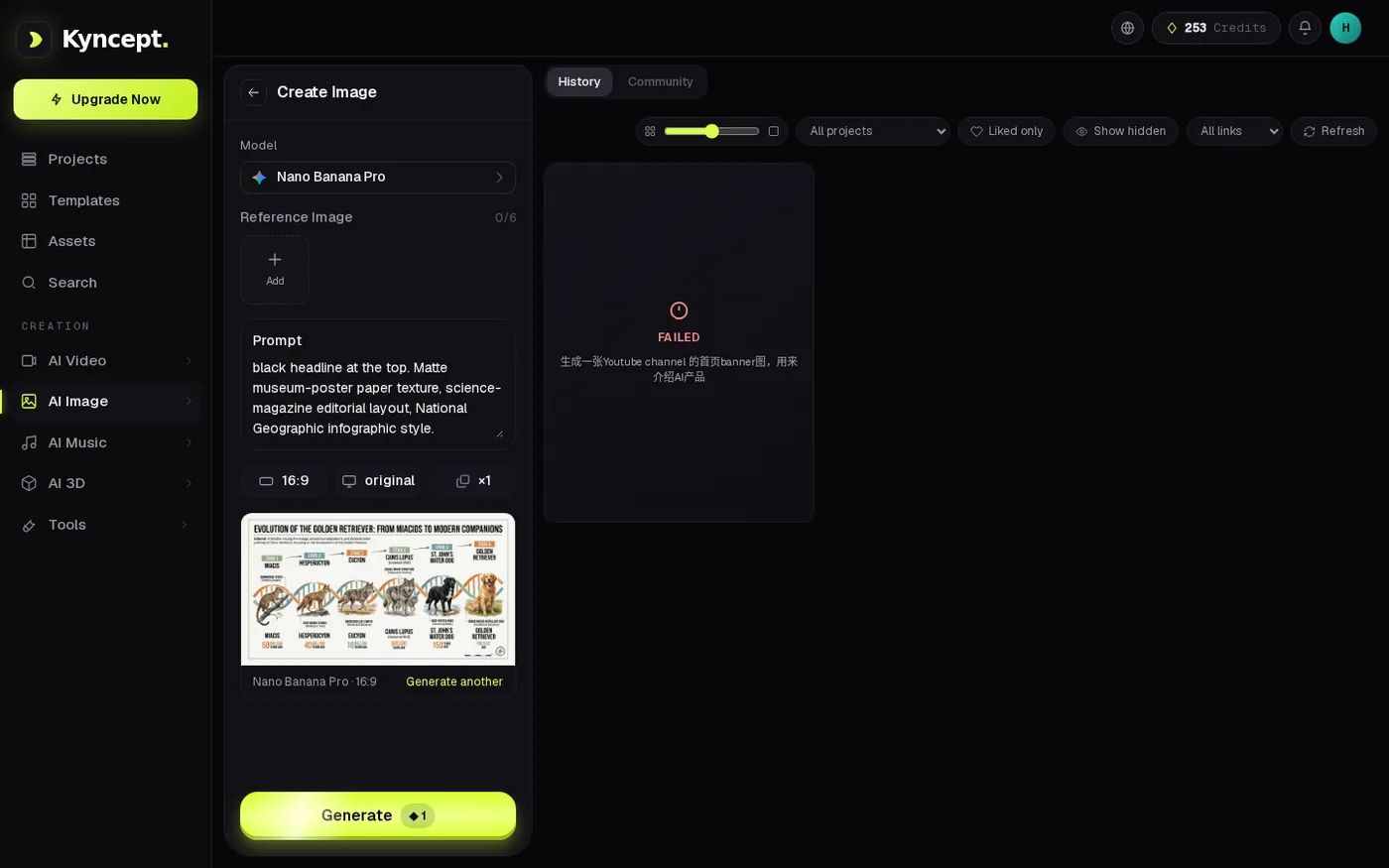
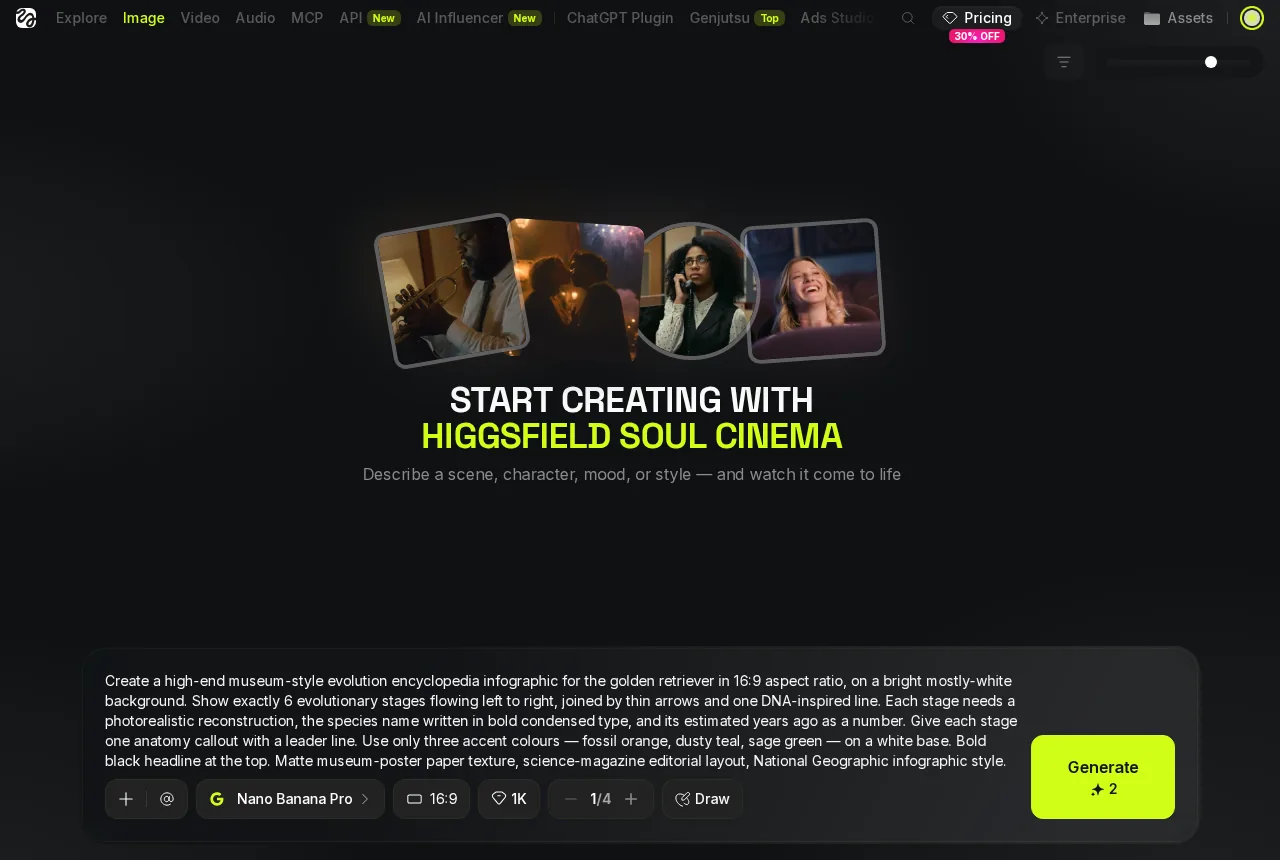 Higgsfield's parameters: Nano Banana Pro, 16:9, 1K — Generate reads 2 credits.
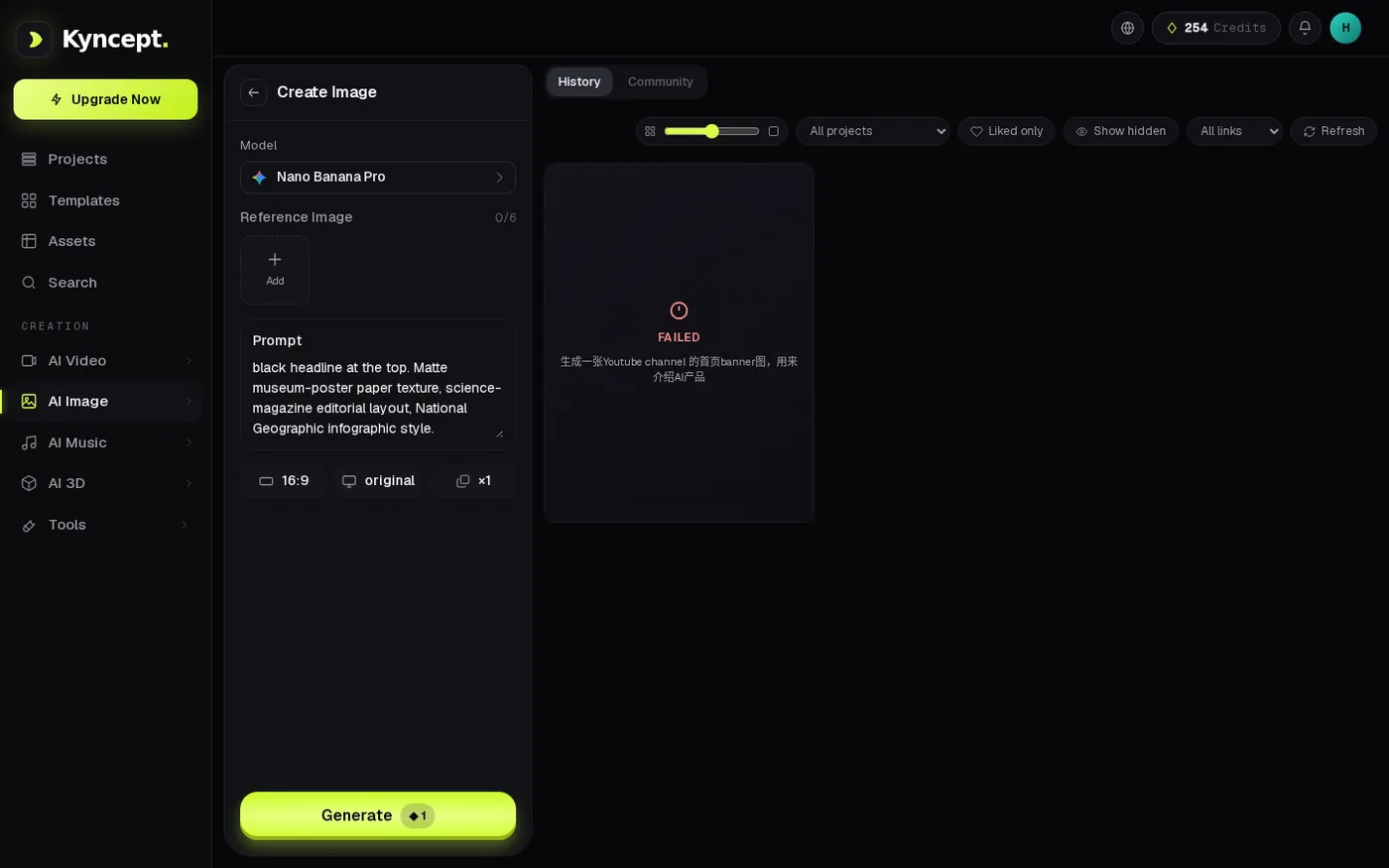 Kyncept's parameters: the same model, 16:9, original size, ×1 — Generate reads 1 credit.
Six stages, one honest tie
All five finished images, side by side.
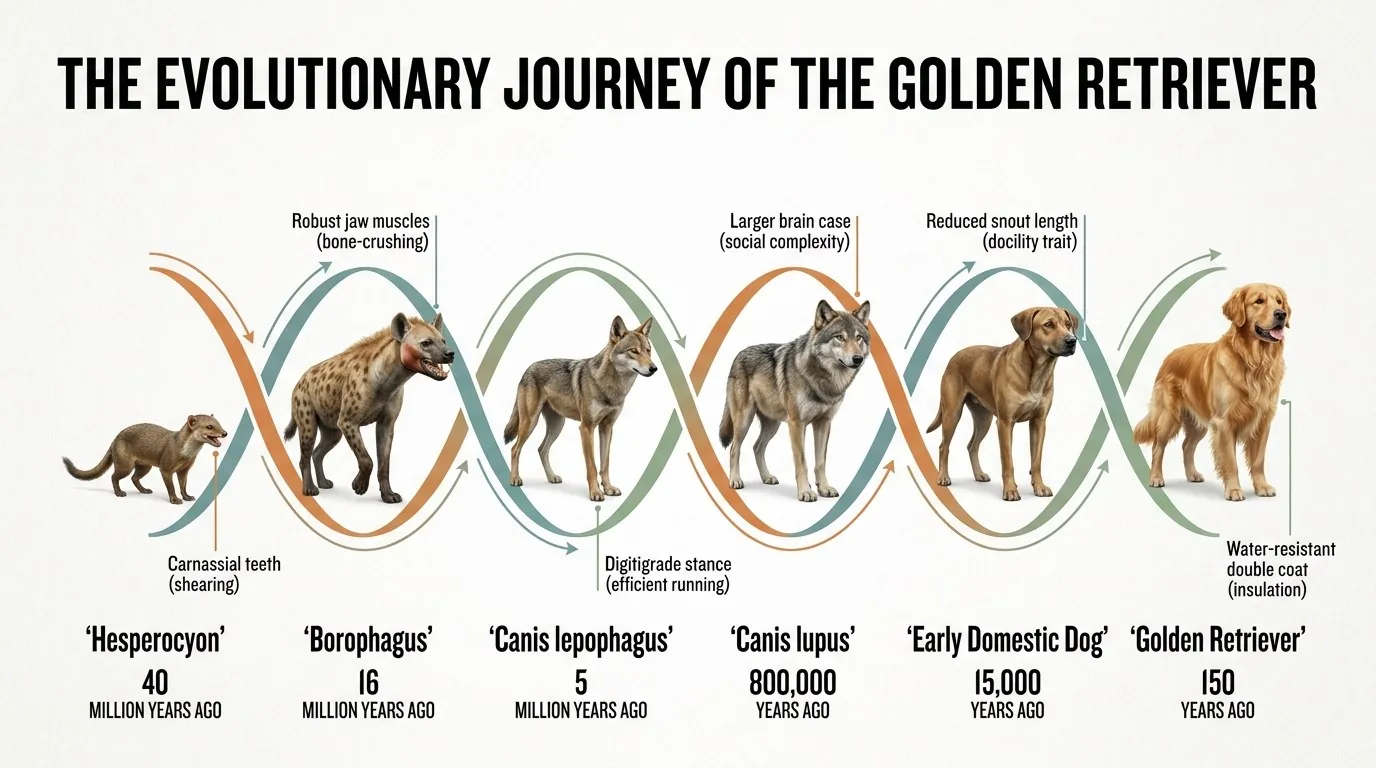
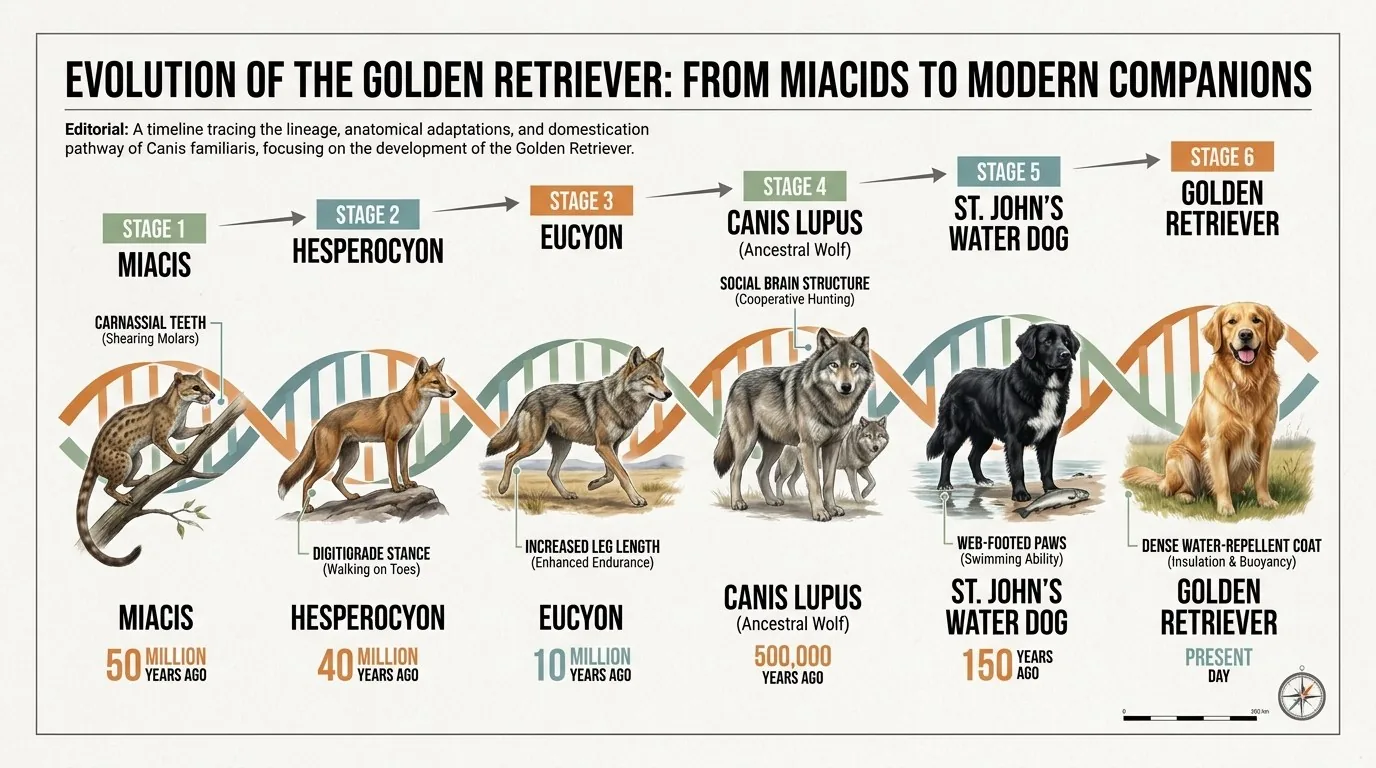 Kyncept image 1: 6 stages, a DNA line, 6 callouts, a years-ago number on each.
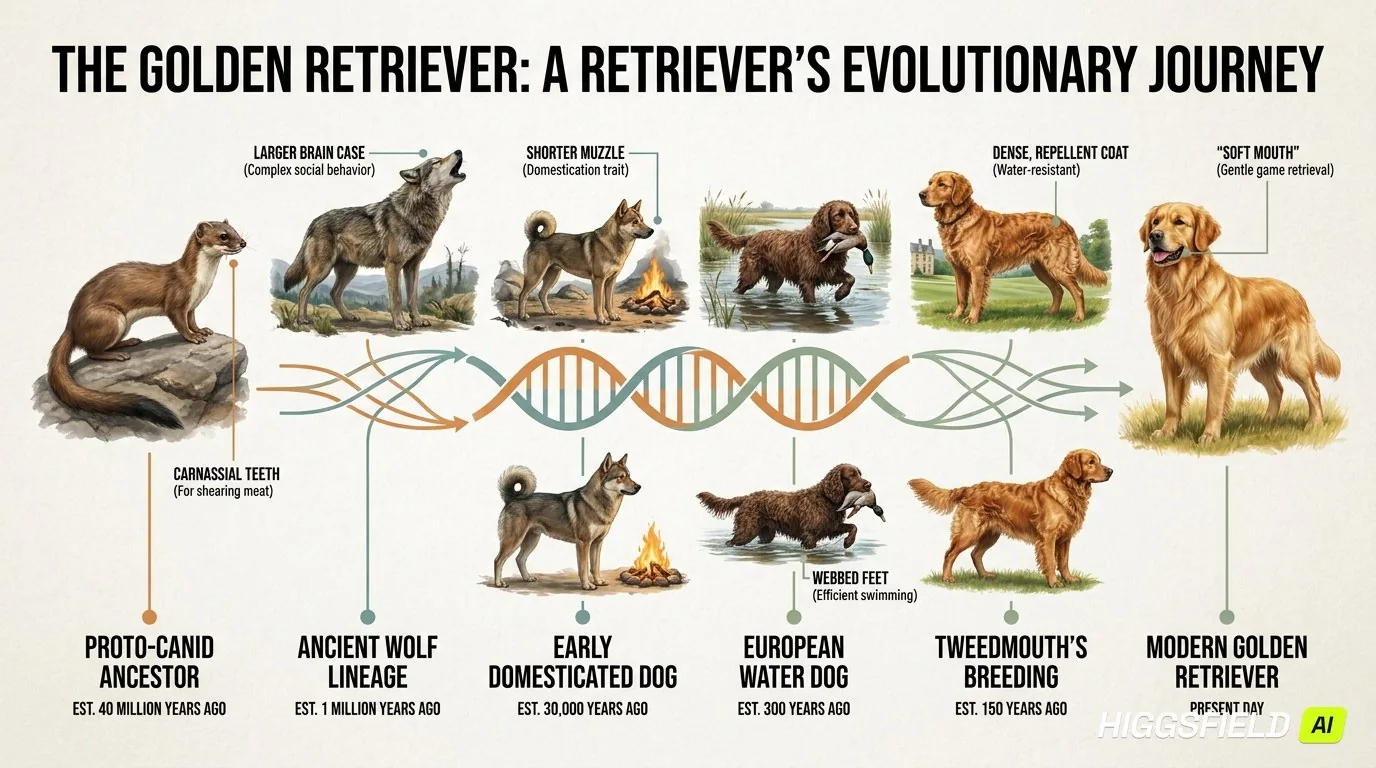
 Kyncept image 2: same template rearranged, DNA line through ringed stages, no duplicates.
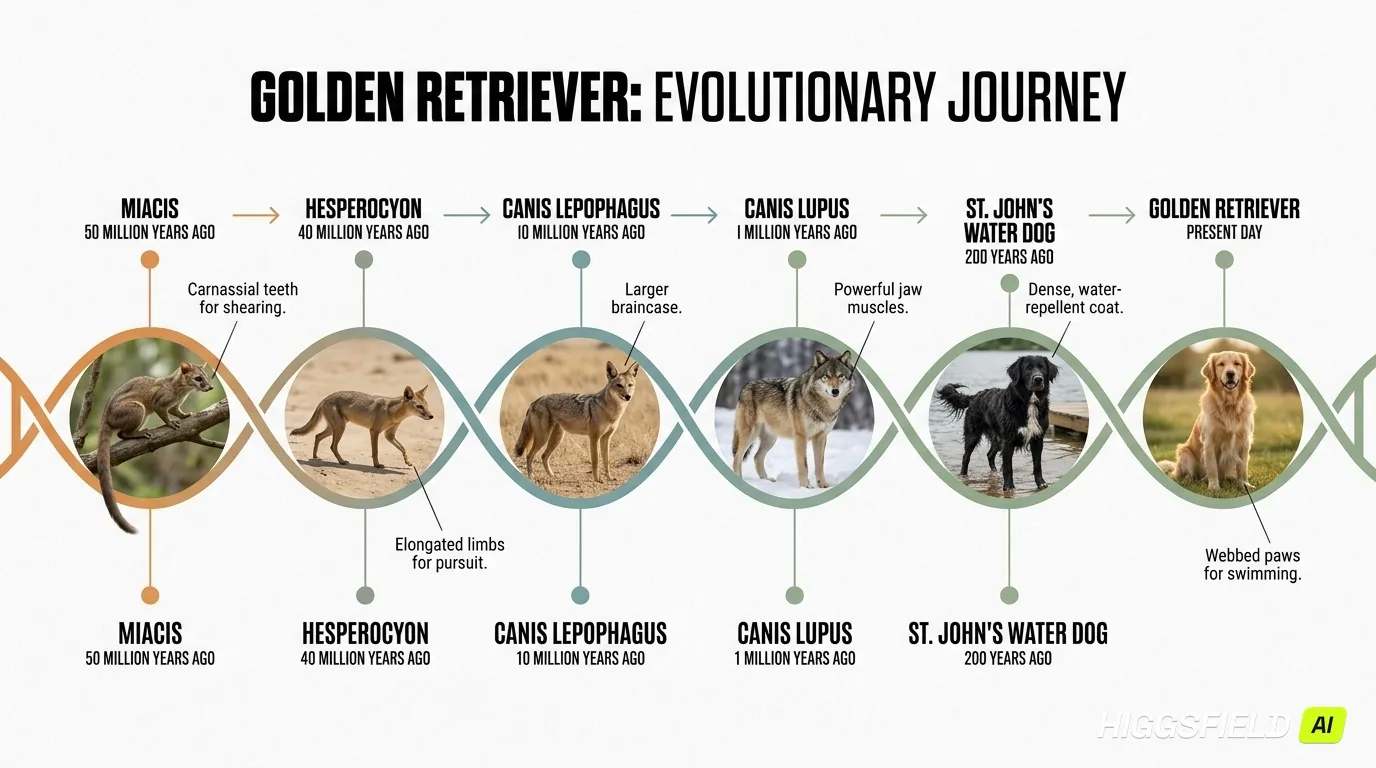
 Higgsfield image 1: 6 stages, DNA line, callouts and years all present — watermark bottom-right.
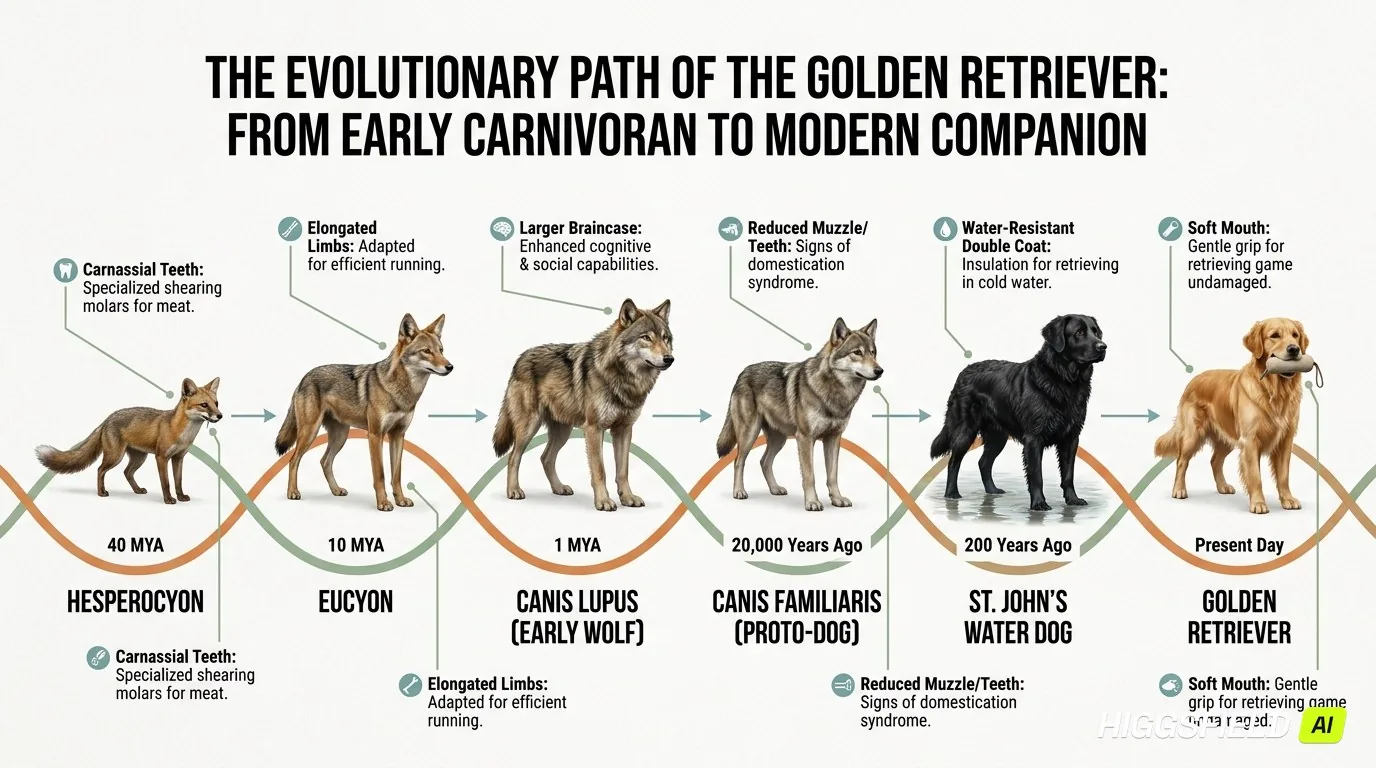
 Higgsfield image 2: circular stage thumbnails on a DNA helix, 6 callouts, watermark again.
 Higgsfield image 3: the sample that missed — the "Soft Mouth" callout printed twice.
Two platforms, one identical model, and the five results differ the way five dice throws differ — layout rearranged, stage style changed, one label repeated. The flaw worth naming is Higgsfield's third sample, where the "Soft Mouth" callout printed twice: the same Nano Banana Pro that produced a clean image on the other side, having a bad roll.
Prompt adherence: 6 stages, 6 callouts, one duplicated label
Four hard requirements, counted per image rather than judged as a set.
- Exactly 6 stages — Higgsfield 3 of 3 · Kyncept 2 of 2 · every image got the count right
- One DNA-inspired line — Higgsfield 3 of 3 · Kyncept 2 of 2 · present in all 5
- One callout per stage — Higgsfield 2 of 3 · Kyncept 2 of 2 · the 3rd Higgsfield sample printed "Soft Mouth" twice
- All four at once — Higgsfield 2 of 3 · Kyncept 2 of 2 · the only gap in the tally
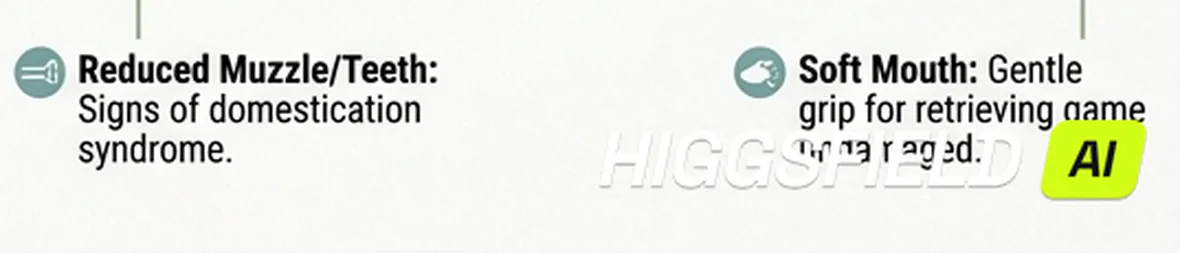 A close crop: the "Soft Mouth" callout appearing twice in Higgsfield image 3.
That is a tie with a footnote: the gap is one image, on one requirement, on a model neither platform trained. Making it a platform property would take the same requirement missed across every sample.
Price per image: 2 credits vs 1
This is where the same picture starts costing different money.
- Credits per image — Higgsfield 2 · Kyncept 1 · 2×
- Balance before → after, one image — Higgsfield 4.0 → 2.0 · Kyncept 230 → 229 · both deducted as advertised
- Higgsfield's own table — 1,200 credits = 600 Nano Banana Pro generations · 270 = 135 · 3,000 = 1,500 · 2 credits per image, three ways
- Kyncept's pricing page, plain text — "1 image = 1 credit" · "1 video starts at 10 credits"
- Flagship plans — Higgsfield €59/month for 1,200 credits · Kyncept $59/month for 1,200 credits · same price, half the images on Higgsfield
- Images before the plan is empty — Higgsfield 600 · Kyncept 1,200 · 2×
- 300 images a month — Higgsfield 300 × 2 = 600 credits → its Starter's 270 credits cover only 135 images, so the cheapest plan that fits is Plus at €59/month · Kyncept 300 × 1 = 300 credits → Starter covers it at $19/month · 3.1×
- Same request, per year — Higgsfield €59 × 12 = €708 · Kyncept $19 × 12 = $228 · €708 against $228
- 120 eight-second clips a month, same accounts — Higgsfield 120 × 20 = 2,400 credits → Ultra at €99/month · Kyncept 120 × 10 = 1,200 credits → exactly the $59 Pro plan · 2×
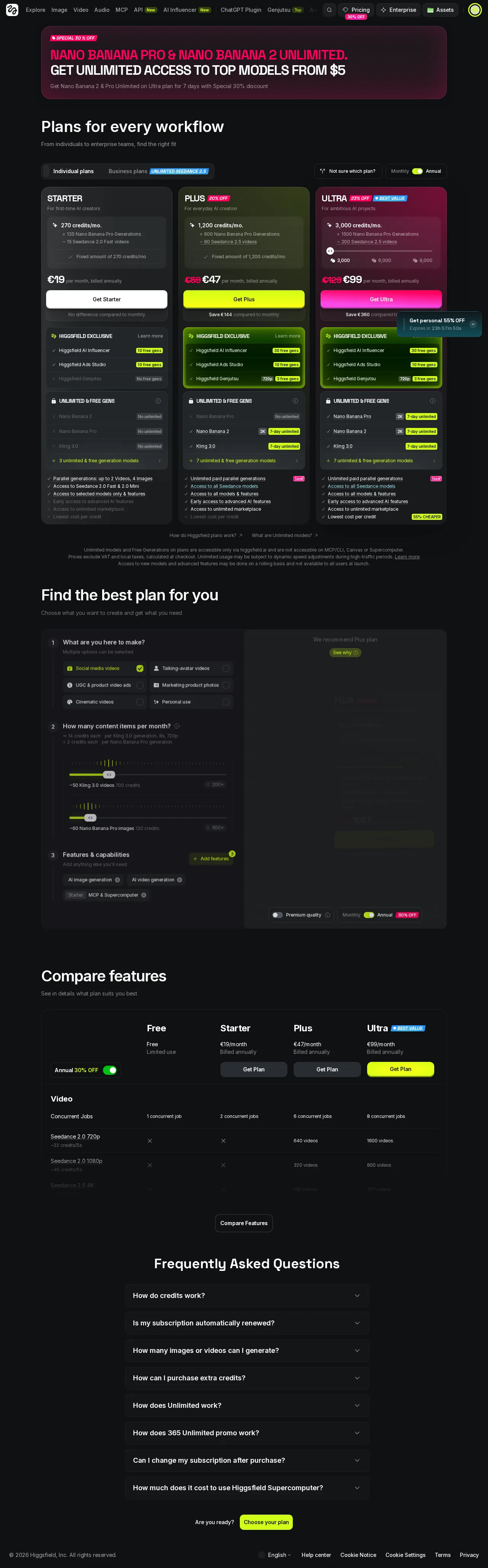 Higgsfield's pricing page: 1,200 credits = 600 Nano Banana Pro generations.
Higgsfield publishes the 2-credit rate itself, so the 2× is a design decision rather than a hidden multiplier — and a defensible one, just not one that makes the picture better.
Speed: the comparison I could not make this round
Speed is the easiest place to fake a finding, so I will be precise.
- Kyncept image, run 1 — 59.9 seconds, click Generate to image on screen
- Kyncept image, run 2 — 69.3 seconds, same prompt and settings
- Higgsfield image — not measured
Two Higgsfield stopwatch readings failed, and one is why I trust the other: the timing matched a result from a previous run — it described a click I had not just made. A figure describing an older generation is worse than no figure, so both went out. There is no Higgsfield image speed in this review, and I am not calling the platform fast or slow — nothing measured it.
What the gap costs is smaller than it sounds: even instant rendering at 0 seconds cannot close a 3.1× plan gap, and at 300 images a month you would have to care a great deal about a minute to pay €59 against $19 for it.
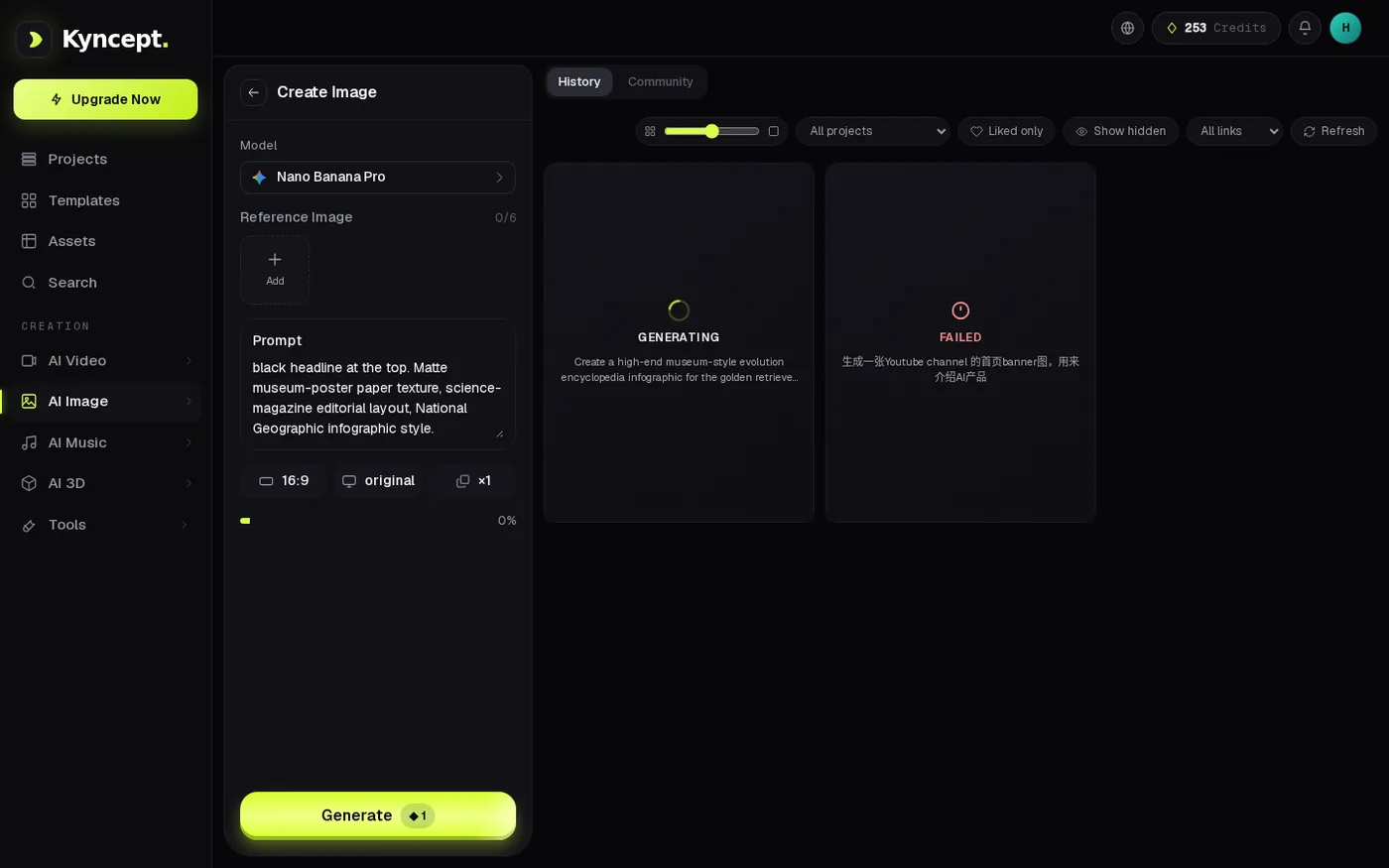 Kyncept mid-run: GENERATING with a prompt summary, balance already down 1 credit.
The watermark baked into the file
Higgsfield's free-plan output carries a "HIGGSFIELD AI" mark in the bottom-right corner, and it is not a viewer overlay — it is in the PNG's pixels, confirmed on all 3 delivered files.
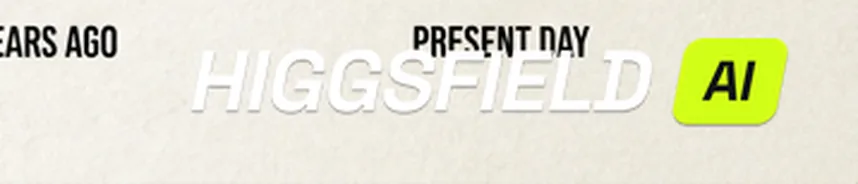 A close crop of the "HIGGSFIELD AI" watermark from the original PNG.
- Watermarked files — Higgsfield 3 of 3 · Kyncept 0 of 2
- Where the mark lives — Higgsfield: inside the PNG, bottom-right · Kyncept: nowhere on the files I downloaded
- What it costs — 3 of 3 free-plan images need retouching before use, at 1376 × 768 where the mark sits over real content
One honest boundary: Kyncept was tested on a $59/month Pro plan and its free tier was not tested here. The accurate claim is that no watermark appeared on the 2 images that Pro plan returned.
File size: 1.5 MB of PNG against 0.8 MB of JPEG
Same model, same 1376 × 768 output, noticeably different file.
- Higgsfield PNGs — 1,707,195 · 1,385,890 · 1,501,594 bytes · 1.5 MB average
- Kyncept JPEGs — 855,668 · 772,181 bytes · 0.8 MB average
- Per file — Higgsfield 1.5 MB · Kyncept 0.8 MB · about 1.9× heavier
- 300 images a month — Higgsfield ≈ 460 MB · Kyncept ≈ 240 MB · ≈ 215 MB more every month
- Over a year — Higgsfield ≈ 5.5 GB · Kyncept ≈ 2.9 GB · 2.6 GB of extra transfer for the same pixels
 Kyncept's delivered result — 1376 × 768 JPEG, no watermark, 0.8 MB.
Twice the bytes for the same dimensions costs real time if you download a batch on a phone connection — though it is the most forgivable difference here, since PNG is lossless and JPEG is not.
Free tier: a 1K cap and PREMIUM tags
A free Higgsfield account starts with 10 free credits. By the time I tested it the balance read 4.0, and that is the whole story of the free tier.
- Resolution in the parameter panel — Higgsfield 1K · no higher step
- Model list — Higgsfield tags entries PREMIUM · the unlocked ones sit under the locked ones
- Cheapest video in the same catalog — 20 credits for 8 seconds at 720p · against a 4.0-credit balance
- Catalog as advertised — 28 video models and 250+ camera presets · 0 usable on a free balance
- Concurrent jobs — Higgsfield free 1 · Starter 2 · Plus 4 · Ultra 8
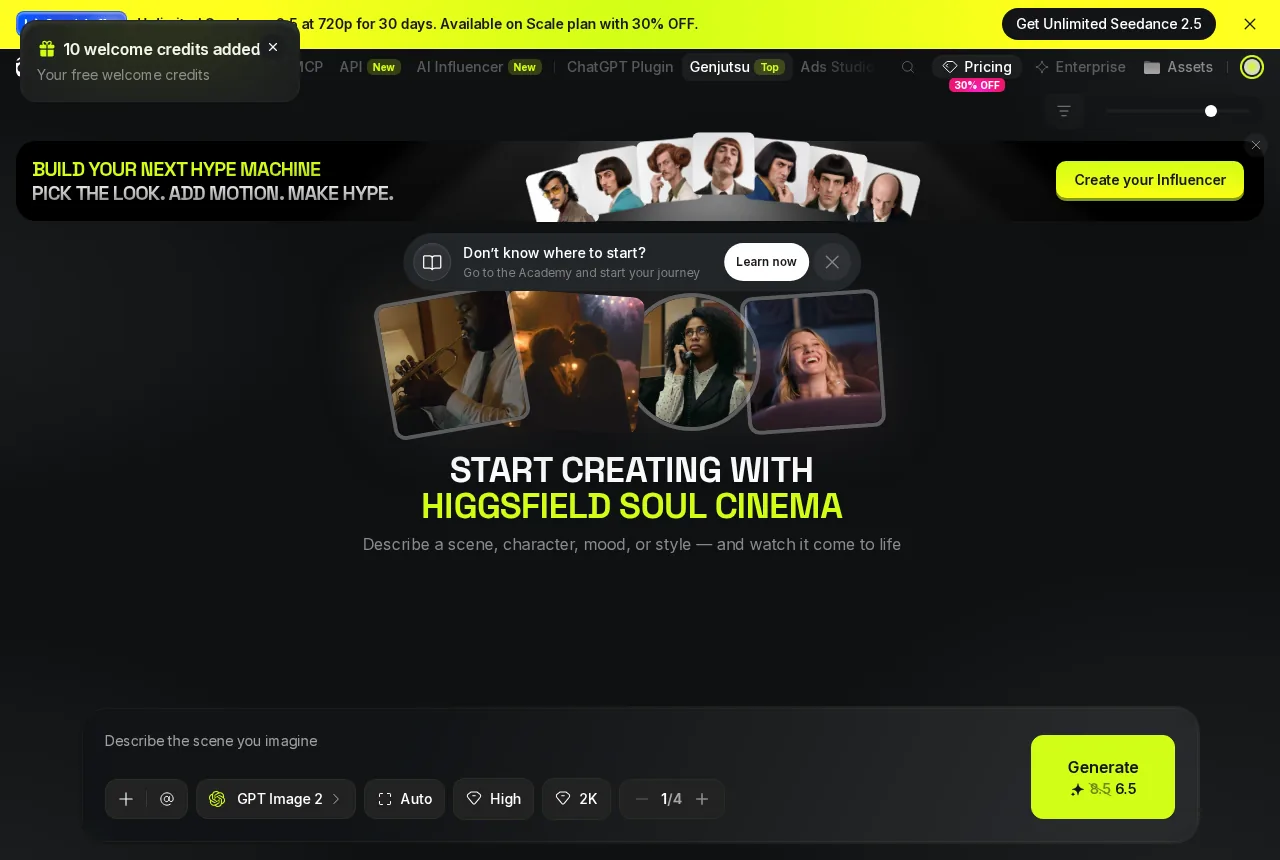 Higgsfield's editor on load: a long model list with PREMIUM entries, promo banner on top.
The feature table is good on paper — 8 concurrent jobs on Ultra, 28 video models, 250+ camera presets — and gated far enough up that a free account can browse the shelf and reach none of it. At 4.0 credits, the free tier is two Nano Banana Pro renders.
Upsell pressure around the result
Two pieces of promotional furniture followed me through every Higgsfield session.
- A countdown banner — persistent across the top of the editing page, every visit
- A discount card — "Get personal 55% OFF", floating over the lower-right of the editor, the corner the Generate flow occupies
- The locked video model — a full-screen UPGRADE REQUIRED page instead of a toast
- Kyncept's equivalent — 0 banners, 0 floating cards; the model page states its cost on the button
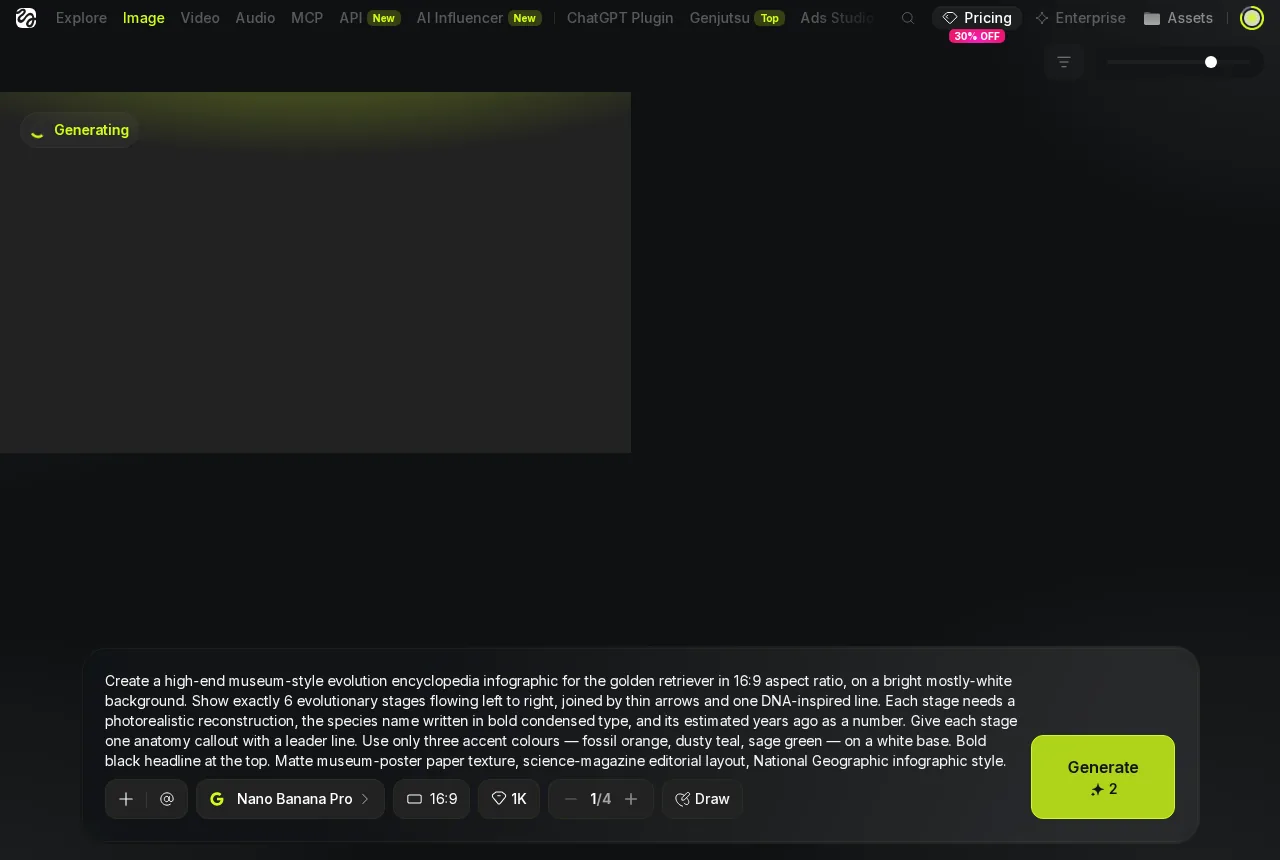 Higgsfield's generating state: a placeholder with no progress bar, promo banner still on top.
It is not only that there is pressure; it is where it is aimed — over the corner where the primary action lives, with a discount framed as personal. On a paid run it costs attention too.
UI flow side by side
- Open — Higgsfield: one long model list, PREMIUM tags on the good entries, countdown banner above it all · Kyncept: one model per page, cost printed on the button
- Parameters — Higgsfield: Nano Banana Pro, 16:9, 1K, Generate reads 2 credits · Kyncept: Nano Banana Pro, 16:9, original, ×1, Generate reads 1 credit
- Generating — Higgsfield: a placeholder, no progress bar · Kyncept: a GENERATING card with a prompt summary, balance already down 1 credit
- Result — Higgsfield: PNG, watermark bottom-right, 1.5 MB average · Kyncept: JPEG, clean, 0.8 MB average
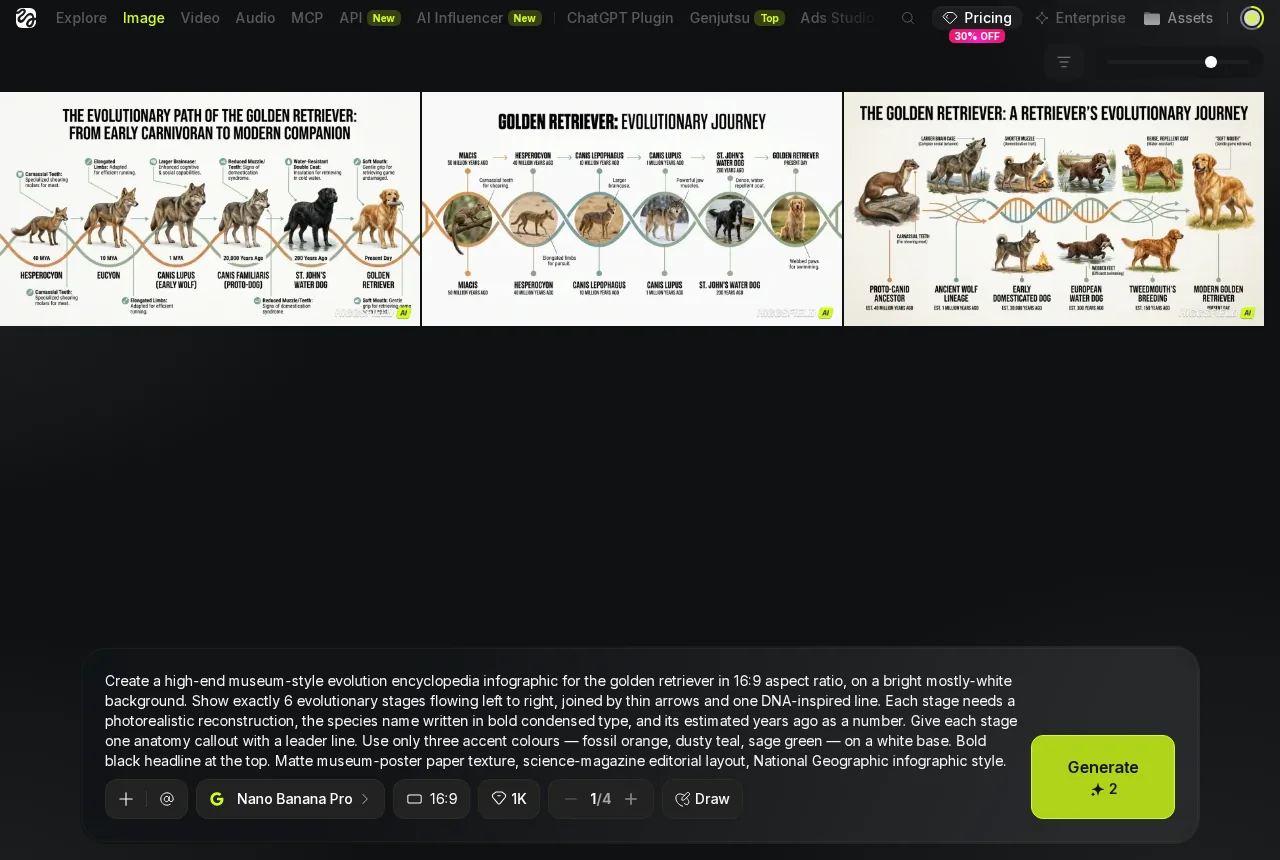 Higgsfield's delivered result — 1376 × 768 PNG, 1.5 MB, watermark bottom-right.
Small structural difference, and it matters: Kyncept puts the price on the button that spends it, so the cost is visible before the action. Higgsfield does too — 2 credits, honest — then surrounds that button with a discount card and a countdown.
One paragraph on video, for context
A text-only video prompt, no start frame on either side, produced 2 of 2 clips on Kyncept at 10 credits each, 157.7 seconds on the stopwatch, 8.0 seconds at 1280 × 720 and 24 fps with real slicing audio. On Higgsfield it produced 0 clips: its cheapest text-to-video option, Seedance 2.0 Mini at 8 seconds and 720p, reads 20 credits against a 4.0-credit balance — 16 credits short.
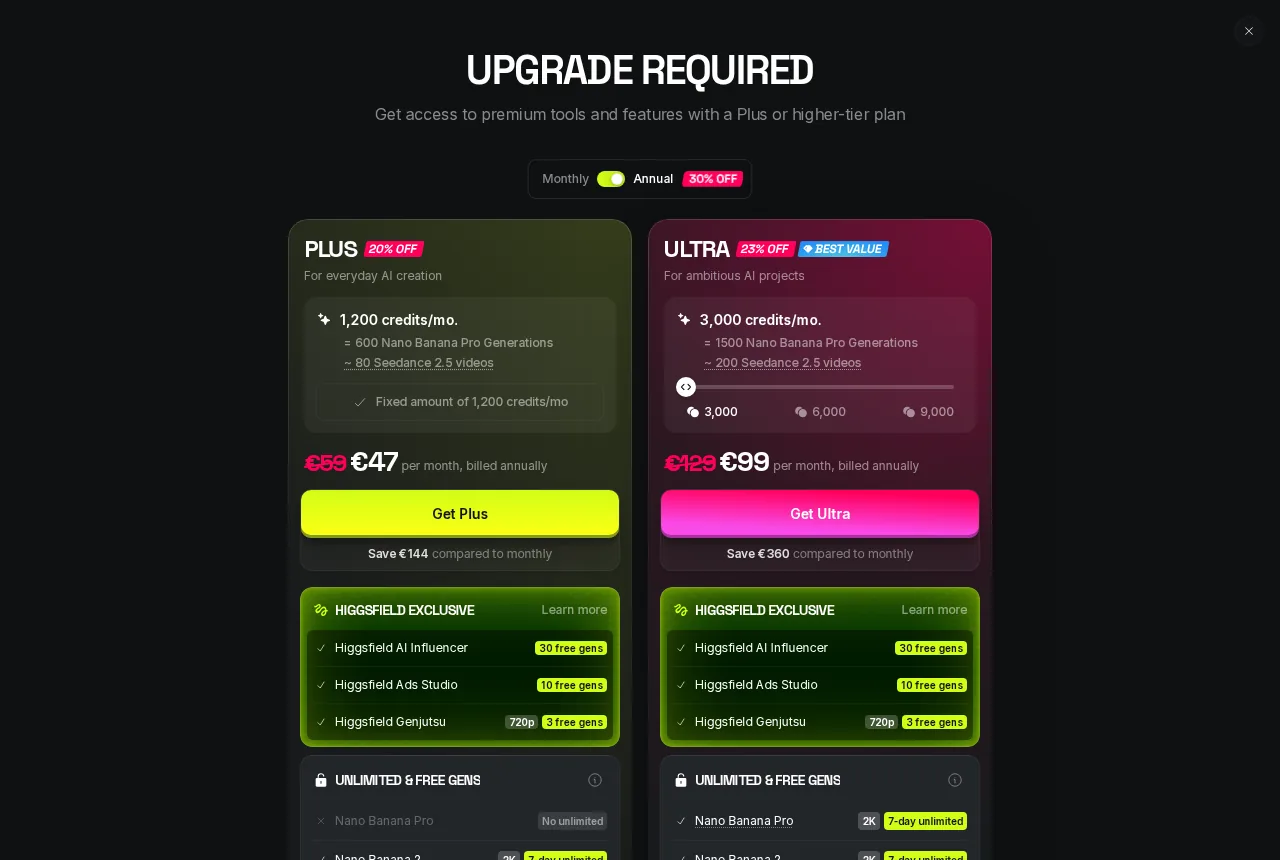 What a free Higgsfield account gets instead of a clip: the UPGRADE REQUIRED wall.
Final verdict: Higgsfield scores 60/100 for this job
Sixty is not a bad score for the picture; the picture is a tie, and the model was never Higgsfield's to lose. Sixty is what the wrapper earns: 2 credits per image against 1, a 3.1× plan gap at 300 images a month, a watermark inside 3 of 3 free-plan PNGs, 1.5 MB against 0.8 MB at 1376 × 768, and a free balance that cannot reach any of the 28 video models it displays.
The good things on Higgsfield's side are real: a 1,600-character prompt field that took my 682 characters without blinking, 28 video models, 250+ camera presets, and 8 concurrent jobs on the top plan. Every one is a feature of the paid ladder, and the free rung holds 1 concurrent job and 4.0 credits.
Which one I would use for this job
For a recurring image job on a fixed budget, the identical model makes this easy: the platform that charges one credit, returns the file without a stamp in it, and hands back 0.8 MB instead of 1.5 MB is the one to run — at 300 images a month, $19 against €59, and no watermark to paint out of 300 files. If you want to repeat the test, kyncept.com runs it on a 1-credit image and the prompt above is printed to paste in unchanged.
Want to try it yourself?
Try Kyncept →More from the blog
Higgsfield AI Image Generator Review: 4 Matcha Images, 2 Credits
This higgsfield ai review compares four matcha images with Kyncept, covering credit costs, worker-count accuracy, delivery speed, watermarks, and original files.
Higgsfield AI Pricing Review 2026: 2 Credits per Matcha Image
Learn what higgsfield ai costs in this dated review, including image and video credit debits, plan allocations, limits, and comparisons with Kyncept.
Higgsfield AI: Kling 3.0 Review—15-Second Video, Audio and Costs
Explore Kling 3.0's native audio, lip-sync, 15-second multi-shot video and credit costs, and see how it fits a higgsfield ai video workflow.